
Prompts that hold up · Standard gear
What you will be able to do
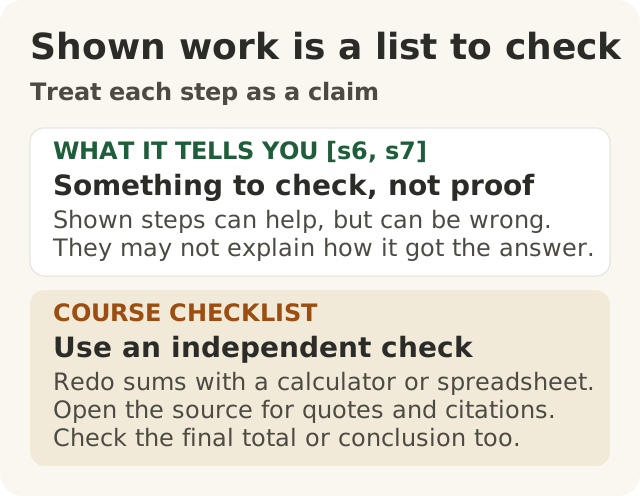
Figure data as text
Treat each step as a claim
| Part | What it means |
|---|---|
| WHAT IT TELLS YOU [s6, s7] | Something to check, not proof. Shown steps can help, but can be wrong. They may not explain how it got the answer. |
| COURSE CHECKLIST | Use an independent check. Redo sums with a calculator or spreadsheet. Open the source for quotes and citations. Check the final total or conclusion too. |
- Write a reusable prompt template for a task you do every week. It states the job, the audience, the facts to use, an example, the output format and what to do when unsure.
- Break a multi-step job into steps, ask for working you can check on your own, and check each step against the source or a calculator, knowing that the written working is not a reliable account of how the model reached its answer.
- Test a prompt on several realistic inputs, including awkward ones, before you rely on it, using made-up or approved and redacted examples, never live customer or company records.
Lesson 100.5 taught a five-part request for a one-off job. This lesson is about the prompt you will use a hundred times: the weekly report, the reply to a customer, the summary of a supplier's quote. A prompt that worked once on an easy case is not yet a prompt you can rely on. A prompt that holds up gives an answer you can check, on the hundredth input as well as the first.
The evidence here is four research papers, one field study of AI at work and one AI company's guides to its own product. They are not equally strong, so we say which is which. Where this lesson draws its own conclusion, it says so.
One rule from Level 100 carries on. The AI drafts; a person checks and decides. A good template makes checking faster. It does not make checking unnecessary, and it does not decide anything.
Real case: writing down what good looks like
The first wrong idea is that good prompting is a knack that cannot be written down and reused. A real study bears on this, though not with a prompt.
Erik Brynjolfsson, Danielle Li and Lindsey Raymond studied an AI assistant given to technical-support agents at a Fortune 500 company that sells business software.1 Their article was first issued as a working paper in 2023 and published in The Quarterly Journal of Economics in 2025; the figures here are from the published article.1
- What the tool did. It was built on GPT-3. It read each customer chat and suggested, in real time, how the agent could reply, and it linked to the company's own technical documentation.1
- What it learned from. The authors write that "many aspects of successful agent behavior are difficult to quantify", such as when to ask a clarifying question, how to calm a tense chat and how to explain something simply.1 The AI firm trained the tool on past chats labelled with how they turned out, giving extra weight to chats by top performers, so that it could pick up behaviours those agents apply "tacitly" (without spelling them out).1
- Who decided. The agent stayed responsible for the chat and was free to ignore or edit every suggestion.1
- What happened. Agents with the tool resolved 15% more chats per hour on average. Less skilled and less experienced agents gained 30% in issues resolved per hour. The tool made little difference to the most skilled and experienced agents, and the quality of the most skilled agents' conversations fell slightly.1
- Where it stayed quiet. When the tool had too little training data on a topic, it gave no suggestion, and the agent answered alone.1
Keep this case in its place. The tool was a model trained on the firm's own chats, not a prompt template, and the authors say their results are "medium-run effects in a single firm".1 The study did not test a written prompt, so it does not show that a template works. What this course takes from it is an inference, not a finding: if some of the best agents' hard-to-describe skill could be learned from their chats, it is reasonable to think that the parts of a good request you can describe (the job, the audience, the facts, an example, the format, and what to do when unsure) are worth writing down and reusing. Whether a given template helps your team is not checked until you test it, which is the third part of this lesson.
Notice too that the tool stayed silent where it had little to go on. A good template tells the model to do the same, and hands the case to a person.
A reusable template in six parts
A prompt template is a prompt you write once and reuse. Most of it stays the same every time. A few marked slots are filled in fresh for each case: this customer's email, this month's figures. This course uses six parts. The list is the course's own checklist, built on the evidence below, not a formula proved by one study.
| Part | What it says | Why it is there |
|---|---|---|
| 1. The job | What to produce, and who will check and send it | The model only has what you give it |
| 2. The audience | Who will read the output, and the tone and length that suit them | The same facts need different words for a dealer and for an engineer |
| 3. The facts to use | Marked slots for this case's facts, and an instruction to use only those | Stops it filling gaps with things that sound right |
| 4. An example | One or more good past answers, made up or approved and redacted | Shows the format and tone better than a description |
| 5. The output format | The exact layout, including a list a checker can tick off | Makes the hundredth answer as quick to check as the first |
| 6. When unsure | What to do when the facts do not answer the question | Gives it a way out other than guessing, and sends the case to a person |
The job, the audience and the format. Anthropic, which makes the Claude models, advises in its guide to its own product (as of November 2026): "Be specific about the output format and constraints you want."2 A fixed format matters more in a template than in a one-off request. If every answer comes back in the same layout, with the same checklist at the end, a person can check the hundredth answer quickly. Name the person in the job part. "Someone will review it" is not enough if nobody knows who.
The facts, in marked slots. Anthropic suggests wrapping the parts of a prompt in labelled tags. It says tags help its model read prompts that mix "instructions, context, examples, and variable inputs", and it advises using "consistent, descriptive tag names across your prompts".2 A tag name such as <customer_email> is this course's own example, not one from Anthropic's guide. That is the vendor's advice for its own model. The plain point holds for any tool: keep the fixed instructions apart from the parts that change, so that nobody edits the instructions by mistake when pasting in a new case.
An example. The paper that introduced GPT-3 tested tasks given with no examples, one example or a few examples written into the prompt, with no retraining of the model.3 Performance improved with a plain description of the task and with more examples, though more examples were "usually but not always better".3 Anthropic's guide says examples should "mirror your actual use case closely" and be diverse enough to "cover edge cases" so that the model does not copy patterns you did not mean.2 It suggests three to five examples; that is the vendor's advice, not a tested rule for your task.2 For Big Widget, an example must be made up, or a real reply that your workplace has approved for this use and that has been redacted (names, addresses and account details removed).
When unsure. Anthropic's guide on reducing made-up answers says to give the model explicit permission to admit uncertainty, and claims this "can drastically reduce false information".4 That is the company's claim about its own product, not an independent measurement. In a template, make the way out specific: a fixed phrase, such as "NEEDS A PERSON:", followed by what is missing. A fixed phrase is easy to spot, and easy to count when you test. The Foundation's Practice site says: "'I don't know yet' is always an answer, and it always pairs you with someone."5 The template should do both halves: admit the gap, and say who picks the case up.
A rule in a template is still a request, not a lock. "Never promise a refund" makes a stray promise less likely; it does not make one impossible. The same guide warns that its techniques reduce made-up answers but "don't eliminate them entirely", and says to validate critical information.4 The Foundation's rule for actions that matter is blunt: "No direct model-to-tool path for consequential actions."6 So the draft goes to a person, not straight to the customer. (Rules that must hold whatever the model writes belong outside the model; lesson 200.8 covers them.)
A Big Widget template (made up)
Big Widget Company, its people and its customers are invented for this course.
Big Widget's customer-service team answers warranty emails from widget owners every day. Here is the team's template. The parts in {{double braces}} are the slots filled in for each email.
<job>Draft a reply to a customer's email about a widget warranty claim. A Big Widget
service agent will check the draft and decide whether to send it.</job>

<audience>The customer who wrote. Most are not engineers. Polite, plain English,
under 150 words.</audience>

<facts>Use only the facts below. Do not add any other dates, amounts or promises.
<warranty_terms>{{the approved warranty summary for this widget model}}</warranty_terms>
<claim_record>{{claim number, status and dates, from the claims system}}</claim_record>
<customer_email>{{the customer's email}}</customer_email>
</facts>

<example>{{one approved reply to a similar claim, redacted}}</example>

<format>First the reply. Then a section headed FOR THE AGENT that lists every date,
amount and promise in the reply, each with the line of the facts it came from.</format>

<if_unsure>If the facts do not answer the customer's question, or the email is not
about a warranty claim, do not draft a reply. Write "NEEDS A PERSON:" and say what
is missing. Never promise a refund, a repair date or a payment that is not in the
claim record.</if_unsure>
The FOR THE AGENT list is the checkable part. The agent ticks each date and amount against the claim record before sending. The agent checks the reply itself too, not just the list, because the model may leave something off its own list.
The second wrong idea: shown working proves the answer
Many jobs have several steps: find the numbers, work something out, then write it up. The second wrong idea is that if the AI shows its working, that is how it got the answer, and the answer is right.
Asking for steps can help. In 2022, Jason Wei and colleagues tested chain-of-thought prompting: giving a model a few worked examples that show the in-between steps, not just the final answer.7 On large models, this improved results on a range of arithmetic, common-sense and symbolic reasoning tasks.7 With eight such examples, a 540-billion-parameter model reached the best accuracy then reported on a benchmark of maths word problems called GSM8K.7
But the steps can be wrong. The same authors write that there is "no guarantee of correct reasoning paths, which can lead to both correct and incorrect answers", and that their results do not answer whether the network is "actually 'reasoning'".7 When they read 50 wrong answers from one model on those maths problems, 46% of the chains were almost right apart from minor mistakes, and 54% had major errors.7 In 8% of them, the chain was completely right except for an arithmetic slip.7 Adding a simple external calculator for the arithmetic steps "significantly boosts performance" on most of the maths benchmarks they tested.7
And the steps may not be why it answered. In 2023, Miles Turpin and colleagues tested whether a model's written reasoning tells the true story. They added small nudges to the input that a reader could see but that had nothing to do with the right answer. In one, they reordered the multiple-choice options in the worked examples so that the right answer was always "(A)". The models' written explanations did not mention the nudges.8 Accuracy fell by as much as 36% across 13 tasks, testing GPT-3.5 and Claude 1.0.8 The authors conclude that chain-of-thought explanations "can systematically misrepresent the true reason for a model's prediction".8
Put together: asking for steps can improve the answer, and it gives you something to check. It is not proof. The working is a list of claims for you to test, not a window into how the model got there.
How to ask for working you can check
These are the course's suggestions, built on the findings above.
- Split the job into steps yourself. Say what the steps are: "First list the figures you will use, then do each calculation on its own line, then write the summary."
- Ask for working you can check without the AI. Ask for each number with where it came from (which document, which line), each quote word for word with where it is, and each calculation written out. "I estimated" or "roughly" is not something you can check.
- Check each step against the source or a calculator. Look each quoted line up in the document. Redo each sum on a calculator or in a spreadsheet. Wei and colleagues found arithmetic slips inside chains that were otherwise right.7
- Check the final answer too. Even when every step checks out, the written working may not be how the model reached its answer.8 So check the total, the conclusion and the wording you will send, not just the steps.
- Say what you could not check. If a figure has no source you can open, label it "not checked" and do not pass it on as fact.
Do not ask the same AI "are you sure?" as your check. Lesson 100.5 showed that a model reviewing its own work is not a fact-check. A calculator and the source document are.
A Big Widget example (made up)
Leila, a finance analyst, asks an AI tool to estimate next year's warranty cost for one widget model. She gives it three figures from the approved planning sheet: 1,240 widgets sold, a claim rate of 3.5%, and an average repair cost of $820. She asks for each step on its own line. It replies:
- Step 1: widgets sold = 1,240 (planning sheet, row 4)
- Step 2: expected claims = 1,240 × 3.5% = 434
- Step 3: expected cost = 434 × $820 = $355,880
The working looks tidy, and the total looks like a plausible budget line. Leila redoes each step on a calculator. Step 1 matches the sheet. Step 2 does not: 1,240 × 0.035 = 43.4 claims. Step 3 was done correctly, but on the wrong number, so the total is ten times too high. The right estimate is 43.4 × $820 = $35,588. The tidy working did not make the total right; checking each step did. Leila, not the tool, decides which figure goes into the budget.
The third wrong idea: it worked once, so it works
The third wrong idea is that if a prompt worked once, it works. One good answer on one easy input tells you very little. Before you believe a result, ask: out of how many tries, and on which inputs?
Small changes can matter a lot. Melanie Sclar and colleagues changed only small details of how prompts were formatted, without changing their meaning. Several widely used open-source models were "extremely sensitive" to these changes, with differences of up to 76 accuracy points for one model, LLaMA-2-13B.9 The sensitivity remained with larger models, more examples or extra instruction training, and the authors suggest reporting a range of results across plausible formats rather than one.9 Their tests were on research tasks, not on a work template, but the lesson carries: one try is one point, and the range is what you need to know.
Results differ across inputs and people. In the support-agents study, the tool's effect differed: large for newer agents, small for the most skilled, and largest for relatively rare problems.1 For topics with too little training data it gave no suggestion at all.1 One easy chat would not have shown any of that.
The vendor says to test first. Anthropic's prompt-engineering guide assumes you already have "a clear definition of the success criteria for your use case" and "some ways to empirically test against those criteria" before you start improving a prompt.10 Its guide to building tests says to mirror "your real-world task distribution" and adds: "Don't forget to factor in edge cases!"11 Its examples of edge cases include irrelevant or missing input, overly long input, poor or harmful user input, and cases so ambiguous that even people would disagree; its sample tests include typos, an article on several topics, and an angry customer.11 That is a vendor's advice, but it is the same idea: test the range, not one case.
A small test before you rely on it
This is the course's method. It is small on purpose: you can do it in under an hour.
- Decide what a good answer is first. Write two or three lines: what a right and usable answer must contain, and what it must never do. For the warranty template: only facts from the claim record; no promise that is not in it; NEEDS A PERSON when the facts do not cover the question.
- Gather six to ten realistic inputs. Include the ordinary case and the awkward ones:
- an ordinary claim with every fact present;
- a thank-you note with no question in it;
- an angry complaint;
- a question the claim record does not answer;
- one email on two topics;
- a long email with the real question buried in the middle;
- typos or unclear wording;
- an email asking for something the template must never promise, such as a refund.
- Use only safe inputs. Make the test emails up, or use real ones only if your workplace has approved them for this use and they have been redacted. Never paste live customer or company records into a tool to test it. (Lessons 100.7 and 200.5 cover what may go into an AI tool.)
- Write down the right outcome for each input before you run it. Otherwise it is too easy to decide afterwards that whatever came back was fine. For some inputs, NEEDS A PERSON is the right outcome.
- Run each input and mark it. Pass or fail, against your two or three lines. Run the awkward ones more than once; lesson 200.1 explains why the same request can give different answers. Report the result with its count: "7 of 8 passed", not "it works".
- Fix the template, then run the whole set again. A fix for one case can break another. Run the set again whenever the template, the tool or the model changes.
A prompt that passes only thank-you notes has not been tested. The test that matters most is the smallest one that could show it failing: here, at least one complaint and one question the facts do not answer. A clean run shows the template has not been seen to fail on those inputs. It does not show the template is safe on every input.
The three yeses, for a template
The Foundation names three movements: Get to Yes, Stay at Yes and Recover to Yes.6 Its gate gives one of four answers: "go ahead · only this far · wait for a person · no".6 Here is the template part of each. Which tool is approved, and what data may go into it, are get-to-yes questions too; lessons 100.7 and 200.5 cover them.
- Get to Yes, before the team uses it. The small test runs first. A named person, not the tool, says go ahead. The answer can be "only this far": for example, warranty emails only, not dealer disputes. Until the test is done, the answer is "wait for a person".
- Stay at Yes, while the team uses it. Every draft is still checked before it goes out. The test set runs again after every change to the template, the tool or the model. One good week is not a standing approval.
- Recover to Yes, when a bad draft gets through. Stop using the template, name the owner, put right what the customer was told, add the case that failed to the test set and fix the template. Then run the whole set again. A fix you have not tested is a plan, not a recovery.
Keep the evidence, not the secrets. Keep your test set, the expected outcomes and the marks in your team's own work files, if your workplace allows it. The Foundation's signed receipt is a different thing: it "holds no private content".6 It never carries "prompts, outputs, payloads, personal data".5 So the test emails, the template and the drafts stay in the work files, not in a receipt.
At Big Widget Company (a made-up example)
Big Widget Company and the people in it are invented for this course. The studies above are real.
Sam leads a dealer-support team. Dealers email the team every day with questions about warranty claims. Sam decides when a template is ready for the team. Each agent decides whether each draft is sent.
- Bad AI. Sam writes a prompt, "Write a friendly reply to this dealer email," tries it on one thank-you note, likes the answer and shares the prompt with the team. The first angry complaint gets a cheerful reply that promises a refund nobody approved.
- Good AI. Sam adapts the customer-service template above for dealers. The six parts stay the same, but the audience changes: "A dealer's service desk. They know our products. Short and exact; use part numbers." The slots change too: the dealer's email replaces the customer's, and the example is a made-up reply to a dealer. For the occasional email that needs a sum, such as a part refund worked out from the claim record, the template asks for each figure with its source line and each calculation on its own line, and the agent redoes the sums on a calculator. Before sharing it, Sam builds a test set of eight made-up dealer emails, including two complaints, one with a question the record cannot answer and one asking for a refund, and writes down the right outcome for each. The first run fails both complaints: the drafts apologise well but promise a call-back date that is not in the record. Sam tightens the "when unsure" part and reruns all eight. All eight pass, so Sam says go ahead for dealer warranty emails only. The team still checks every draft against the FOR THE AGENT list and the claim record, and reruns the eight tests whenever the template or the tool changes.
The template made the hundredth reply as checkable as the first. The tests, not the first good answer, showed it was not yet broken on the cases that mattered. Eight passes out of eight is still only eight. And an agent still read every reply before it went out.
Summary
- A reusable template states the job, the audience, the facts to use (in marked slots), an example, the output format and what to do when unsure. Examples and clear instructions measurably shape output, within limits; the six-part list is this course's checklist.324
- In a real support study, an AI trained on the best agents' chats helped newer agents most, but the effect differed by person and problem.1 This course takes from it that the parts of good work you can describe are worth writing down; that is the course's inference, not the study's finding.
- Asking for steps can improve answers and gives you something to check, but the steps can be wrong and may not be how the model got its answer.78 Check each number with a calculator and each quote against the source, then check the final answer too.
- One good try proves little. Small changes can swing results.9 Test on six to ten realistic inputs, including awkward ones, made up or approved and redacted, with the right outcome written down first, and test again after every change.1011
- The AI drafts; a named person checks and decides. A rule in a prompt is a request, not a lock.4 "When unsure" should hand the case to a person.
Words to know: prompt template, slot, example (few-shot), chain of thought, working, edge case, test set, gate, receipt, not checked.
Further learning (optional, not citations)
Free public university material, for learners who want more. It is not a source for anything taught above.
- Harvard University (metaLAB at Harvard / Berkman Klein Center), AI Pedagogy Project: AI Guide, including its "Write your first prompt" and "Try the same prompt again" steps: https://aipedagogy.org/guide/
- Carnegie Mellon University Libraries, Generative AI learning guide (its CRAFT page on structured prompts): https://guides.library.cmu.edu/generative-ai
- Princeton University, COS 597G: Understanding Large Language Models (Fall 2022), research-seminar readings on prompting and in-context learning, for readers who want the papers: https://www.cs.princeton.edu/courses/archive/fall22/cos597G/